
Trade Logistics: How Does the JDM Palletization System Work?

1. Choose "Advanced Order" mode
As soon as you confirm your cart, you can choose between standard shipping or palletization. Advanced Order mode is ideal for:
- Storing your products in our warehouses after purchase.
- Waiting for restocked products to arrive so you can consolidate your shipments.
- Managing your shipments on demand (to your repair shop or via dropshipping).
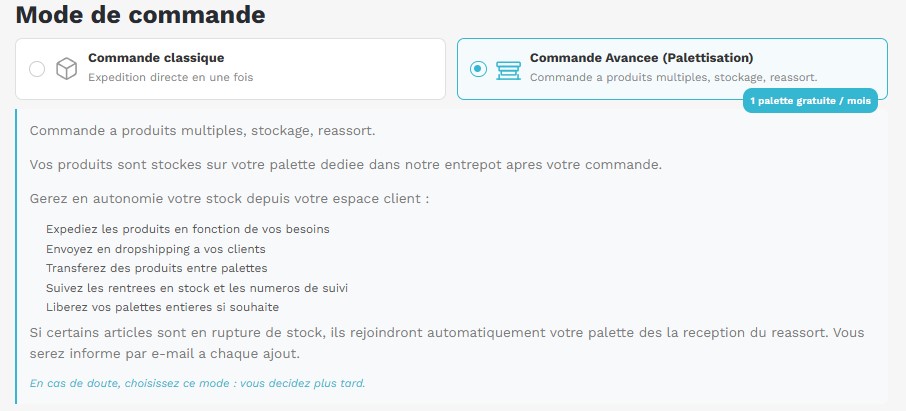
Note: JDM Distribution offers 1 free pallet per month for each trade account.
2. Creating Your Pallet and Its Capacity
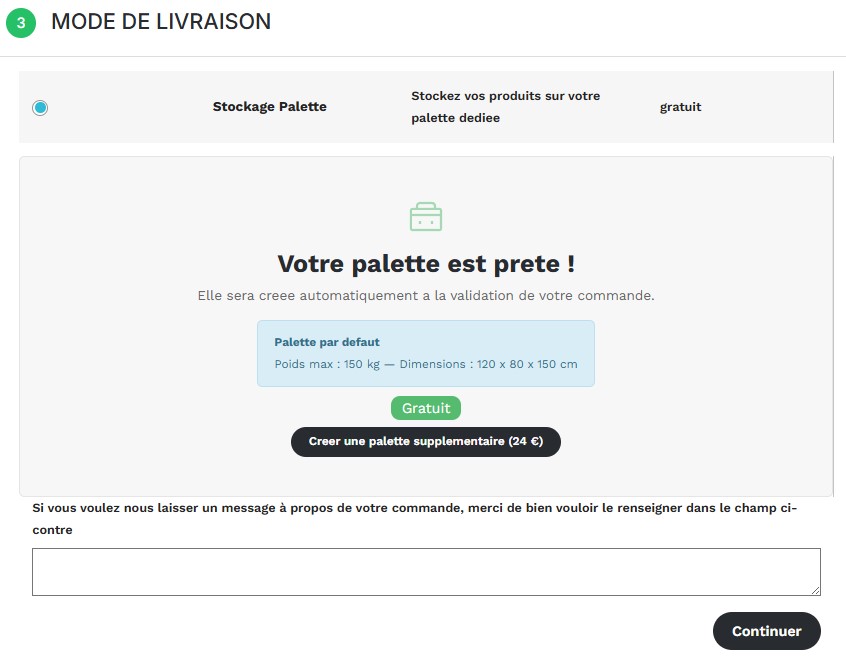
Once you have selected the option, you create your pallet in one click. A standard pallet with us offers serious capacity:
- Max weight: 150 kg
- Dimensions: 120 x 80 x 150 cm
- Volume: 1.44 m³ of available storage
If your needs exceed these dimensions, you can create additional pallets (FREE OF CHARGE) to keep accumulating your goods.
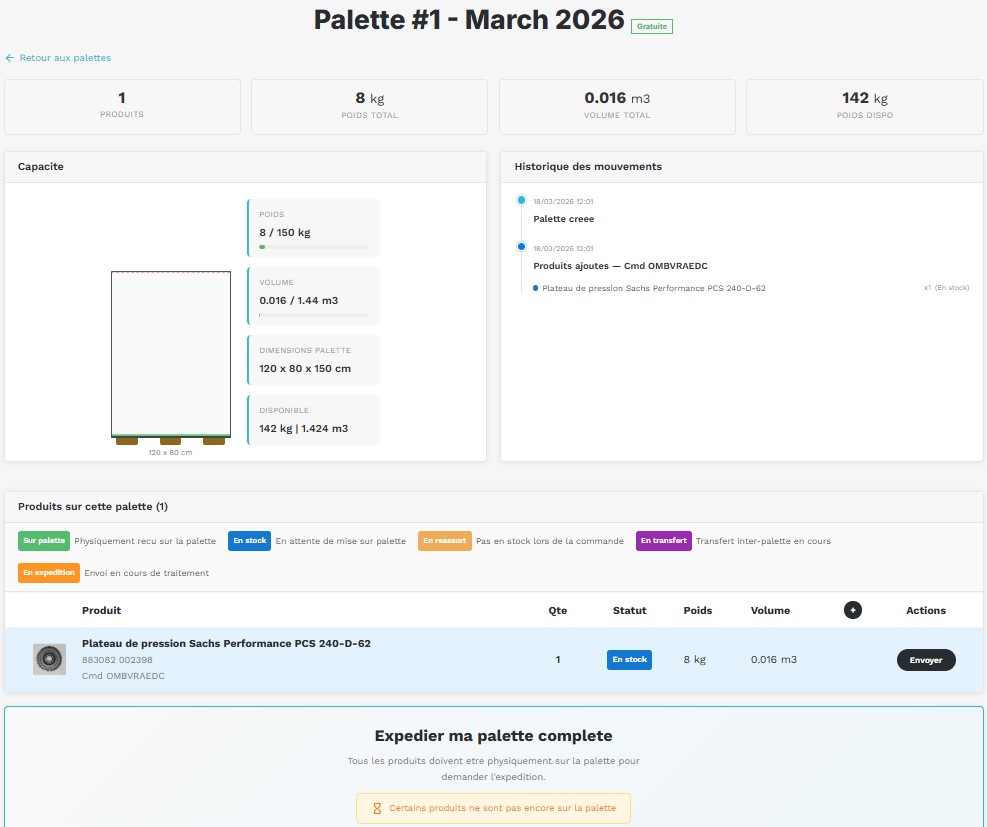
3. A Real-Time Dashboard
This is where you take back full control. In your customer account, each pallet is shown visually:
- Fill gauge: See at a glance the remaining weight and volume before the pallet is full.
- Movement history: Track each part added, tracking numbers, and stock receipts.
- Part status: Instantly identify products that are "In stock" (physically on the pallet), "Restocking" (awaiting receipt), or "In transfer".
- Automated sorting: Every evening, the system automatically moves in-stock products onto the first pallet so you can release it sooner (from 2 available pallets)
4. Ship on Your Own Terms
You decide when goods leave our warehouse. Several options are available:
- Partial shipment: Need a single part urgently? Click "Send" on the item without touching the rest of the pallet.
- Full pallet shipment: Once your pallet is optimized and full, trigger the complete shipment to keep your shipping costs to a minimum.
- Dropshipping: Have all or part of your stock delivered directly to your end customer by managing the shipping address from your interface.
Why use this system?
No more waiting on part-by-part delivery times. Consolidate, store, and ship only when your business needs it.
Ready to optimize your flows? Go to your JDM Distribution account to try creating your first pallet.
Photo by Ryan Klaus: https://www.pexels.com/fr-fr/photo/construction-entrepot-interieur-espace-de-rangement-27111449/
Share this content